Trusted since 2008 · now completely new: version 3.0

Your people.
Nicely organised.

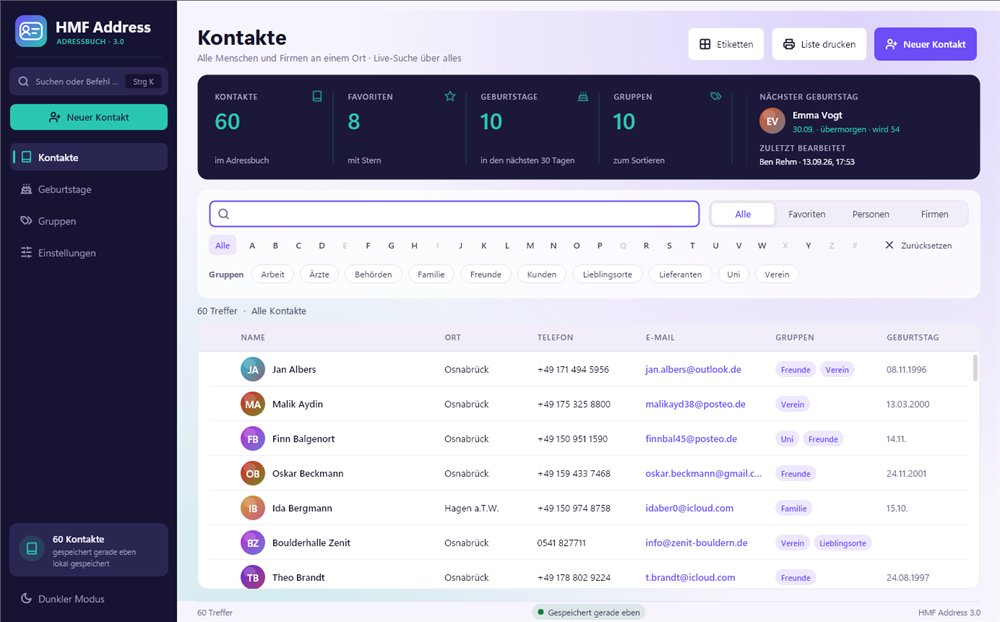
HMF Address is the address book for your PC. Find any contact in seconds – by name, town, group or note. Keep an eye on birthdays, print labels, simple and clear.

  • No account
  • No subscription
  • Your data stays on your PC
  • Windows 10 and 11
HMF Address with the contact list: search, filters, groups and key figuresHMF Address with the contact list: search, filters, groups and key figures

Ready in three steps

  1. 1
    Download

    Installed in a minute, or run from a USB stick with no installation at all.

  2. 2
    Bring your contacts

    From HMF Address 1.x automatically. From Outlook, Google, Excel or your mobile: save as a file there and import it. HMF Address recognises where it comes from.

  3. 3
    Get started

    Search, call, print labels. Everything important is just a click away.

Features

Everything an address book should do.
And a little more.

  • Finds everything, not just names

    The search knows every detail: town, phone, company, group, note. “club osnabrück” instantly shows everyone from the club in Osnabrück.

  • Birthdays at a glance

    Who’s celebrating next and how old they’re turning – right at start-up and on a page of its own.

  • Groups

    Family, friends, club, work: each contact can be in several groups.

  • Printing and labels

    Address list, phone list, contact card and labels for common sheets. Also as PDF.

  • In one click

    Call, email, WhatsApp, plan a route or copy the address – straight from the contact.

  • Kept safe

    Saves immediately, makes a daily backup and lets you undo deleting.

Contacts

Everything at a glance.

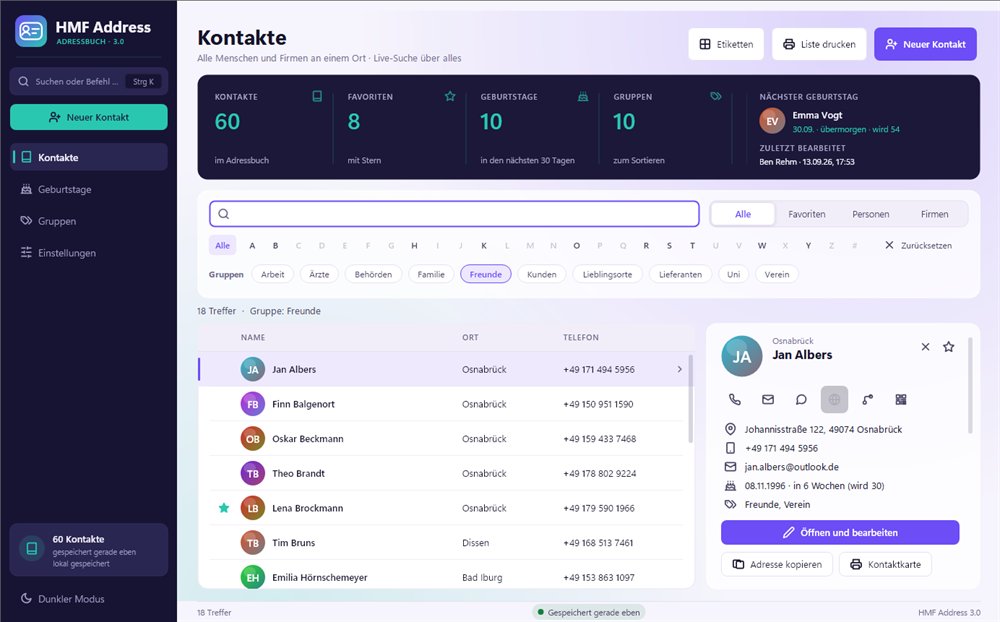
Click a name, and everything important appears on the right: address, phone, email, birthday and groups. From there you can call, write or plan the route.

  • Search all details, including groups and notes
  • Combine several search words, for example “dentist bramsche”
  • Filter by letter, group, people or companies
  • Find your favourites with a star in no time
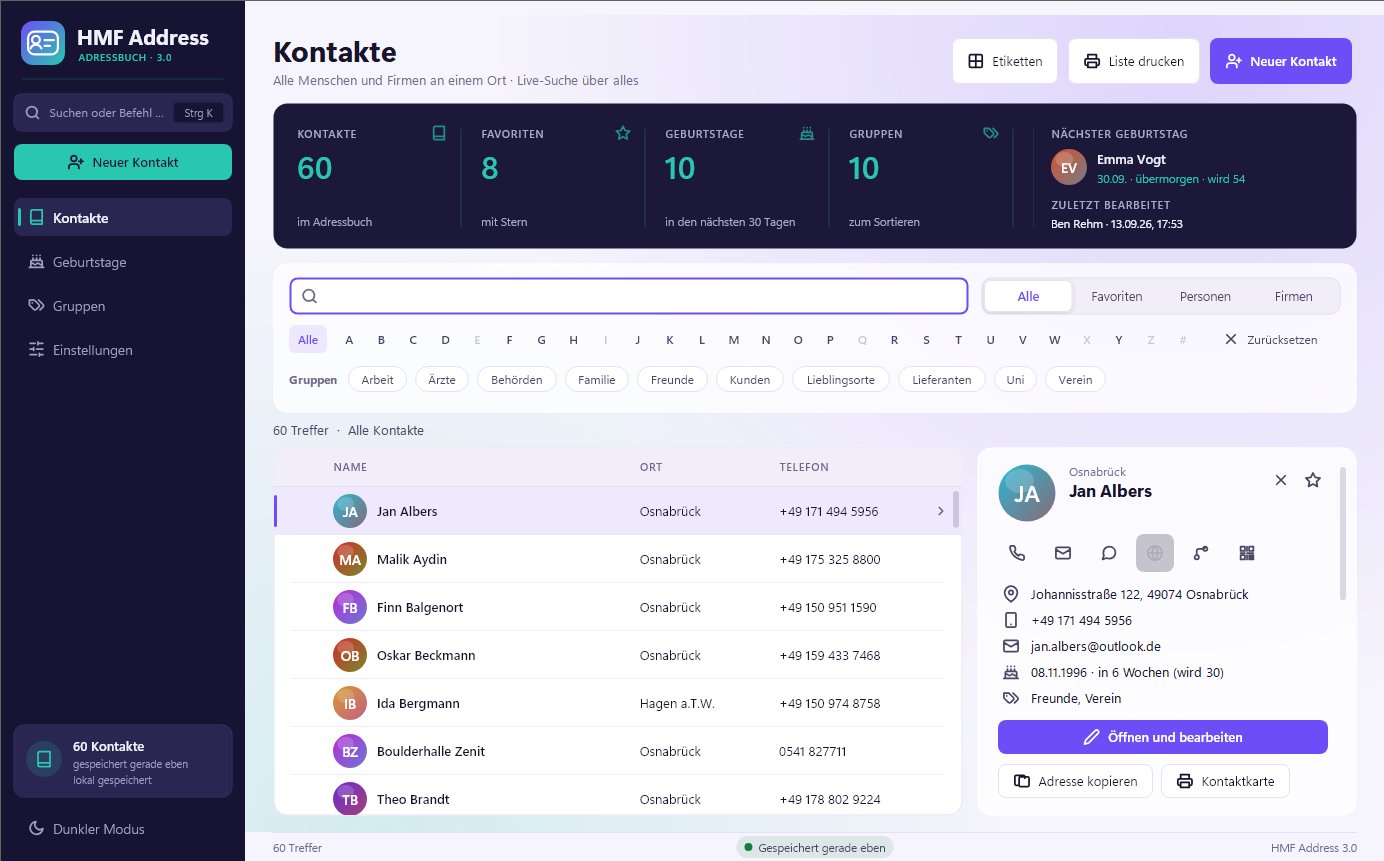
Contact list with the sidebar open: address, phone, email, birthday and quick actionsContact list with the sidebar open: address, phone, email, birthday and quick actions

Edit contact

One contact. Everything in it.

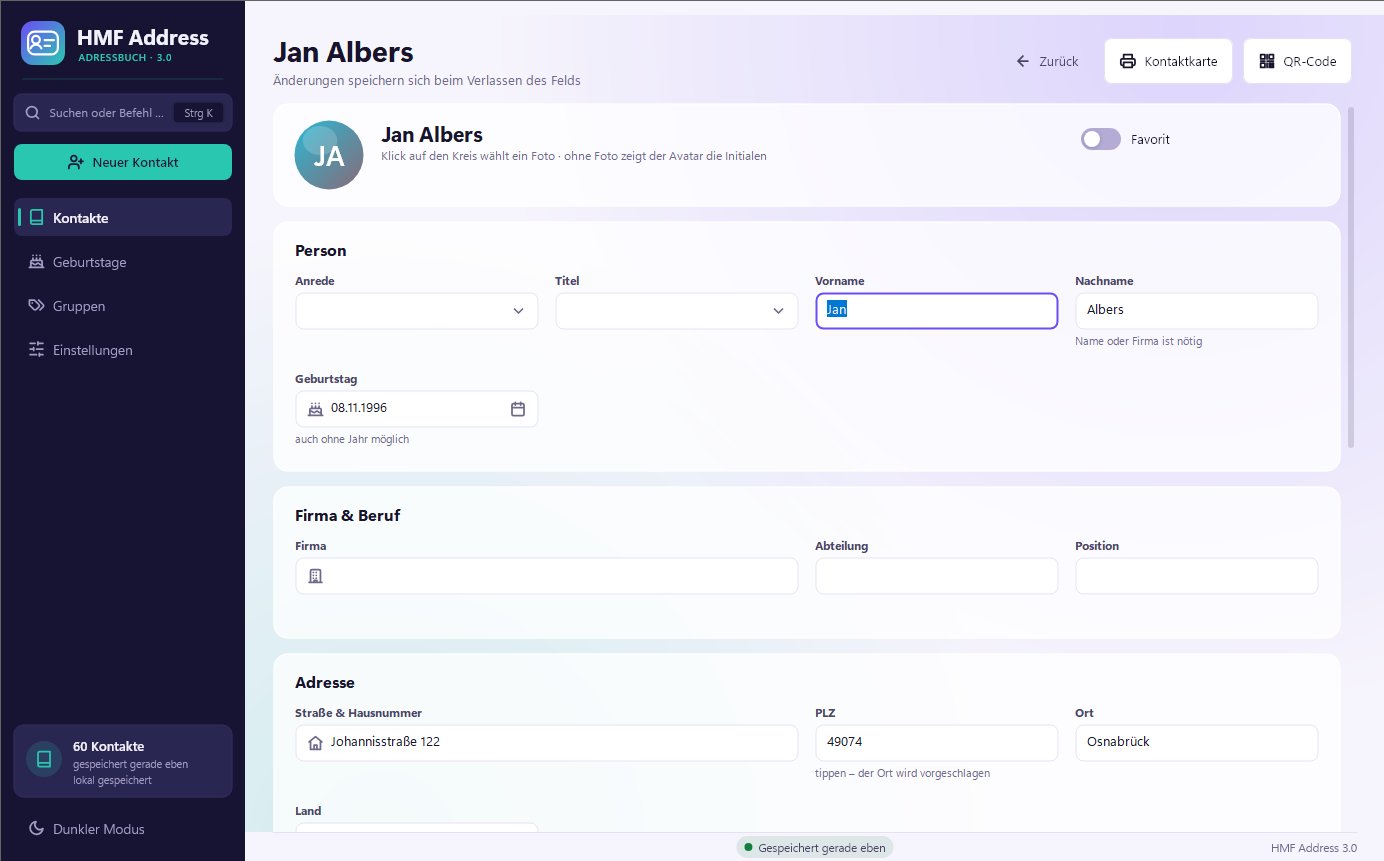
Person or company, photo, several phone numbers and email addresses, websites, groups and notes. Neatly arranged in sections, with no stress over required fields.

  • Type the postcode, and the town is suggested
  • Birthday even without the year
  • Saves automatically and warns about duplicate contacts
Edit contact: sections for person, company, address, ways to get in touch, groups and notesEdit contact: sections for person, company, address, ways to get in touch, groups and notes

Birthdays

Never forget a birthday again.

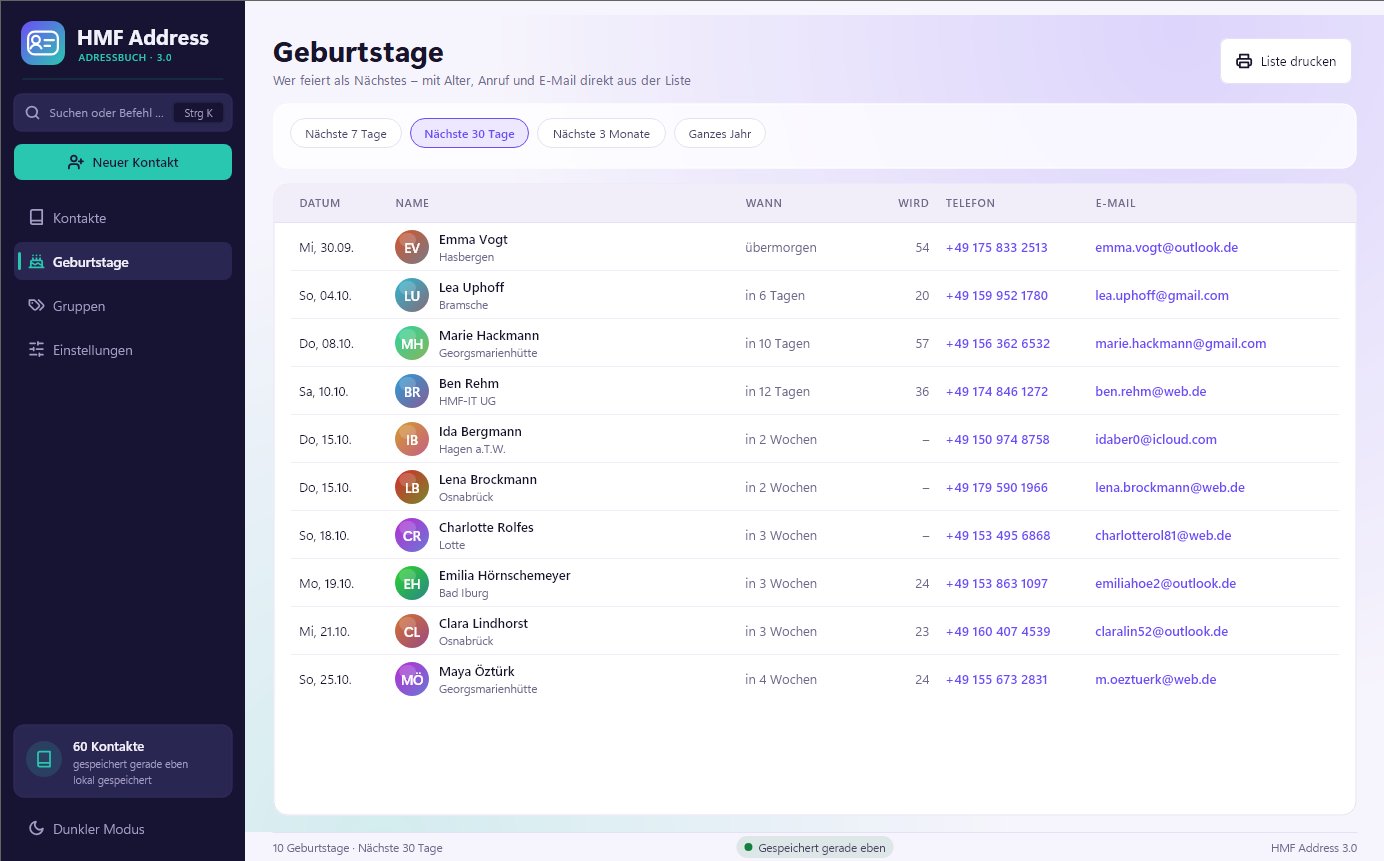
You can see who’s celebrating soon as soon as you start. The birthdays page shows the next 7 days, 30 days, 3 months or the whole year, with age and a direct call.

  • “Turns 54” – HMF Address works out the age
  • Call or email straight from the list
  • Birthday list to print
Birthday list with date, name, age, phone and emailBirthday list with date, name, age, phone and email

Printing

Labels, lists, contact cards.

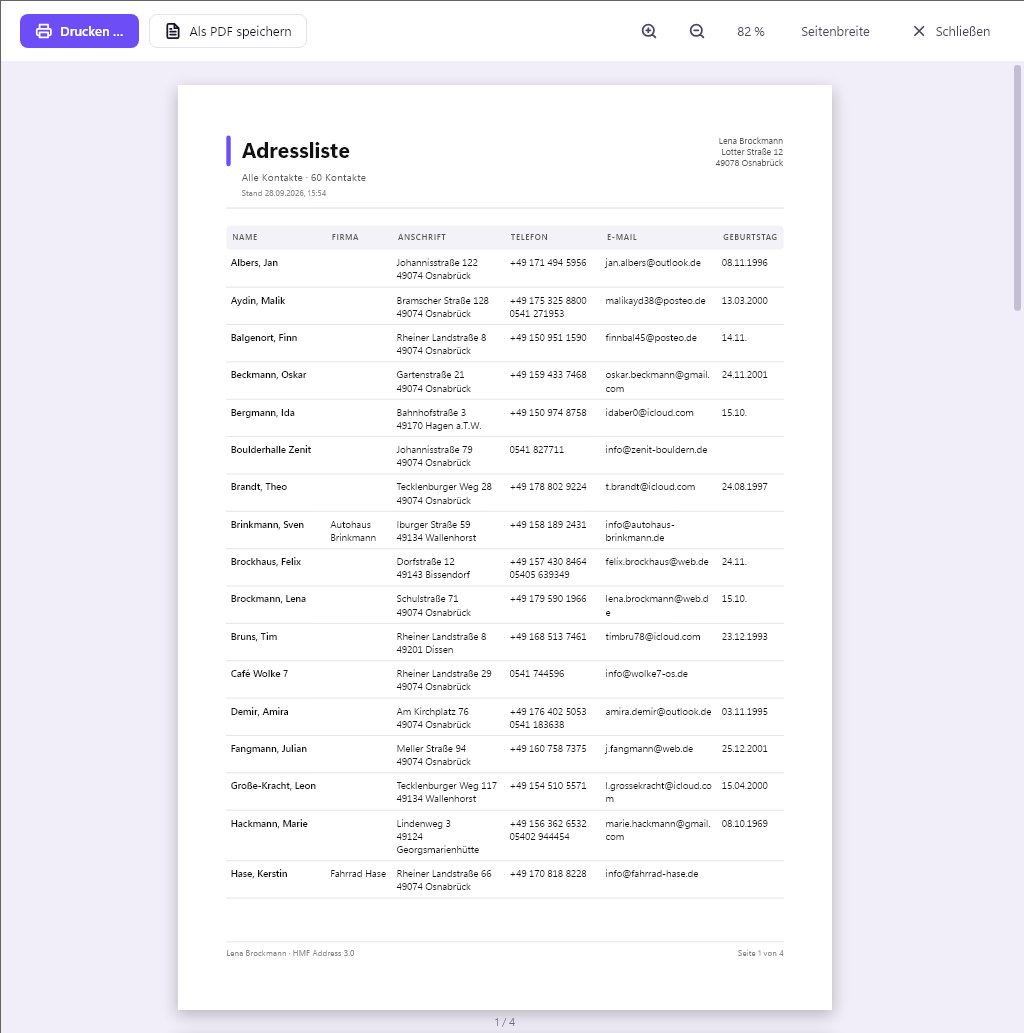
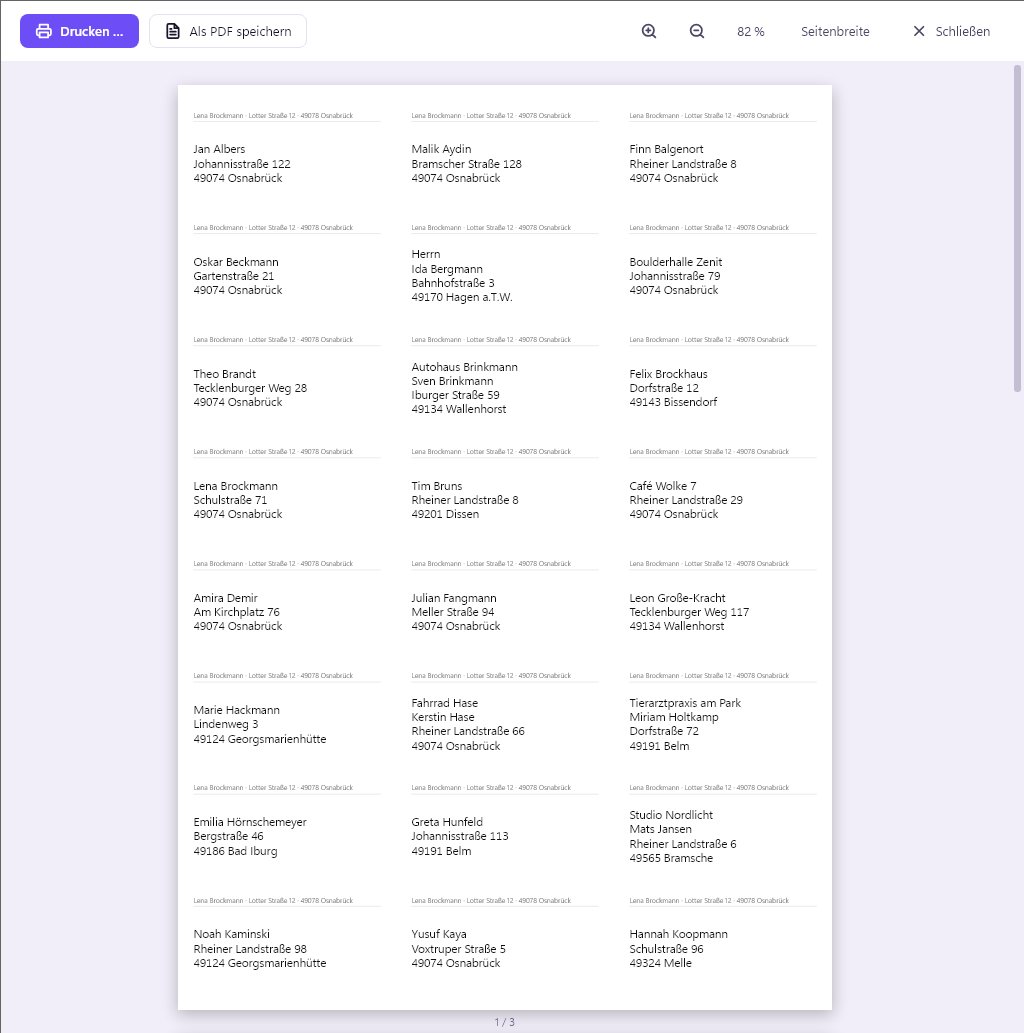
For Christmas cards, the club list or the note on the fridge. You see exactly what will come out of the printer beforehand, and you can also save everything as a PDF.

  • Labels for common sheets (3 × 8, 3 × 7, 2 × 7), with sender if you like
  • Address list, phone list and birthday list
  • Always prints exactly the contacts that are currently filtered
Print preview of the address list Print preview: address labels with sender line

To your phone

One contact, one QR code.

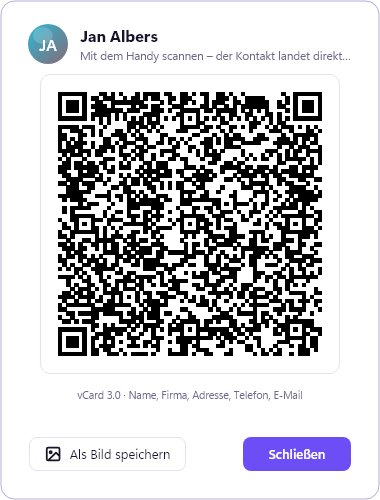
Point your phone camera at the code, and the contact is saved in your phone book. No cable, app or account needed.

  • Works with iPhone and Android
  • Export all contacts at once as vCard
A contact’s QR code for scanning with your phone

Colour themes

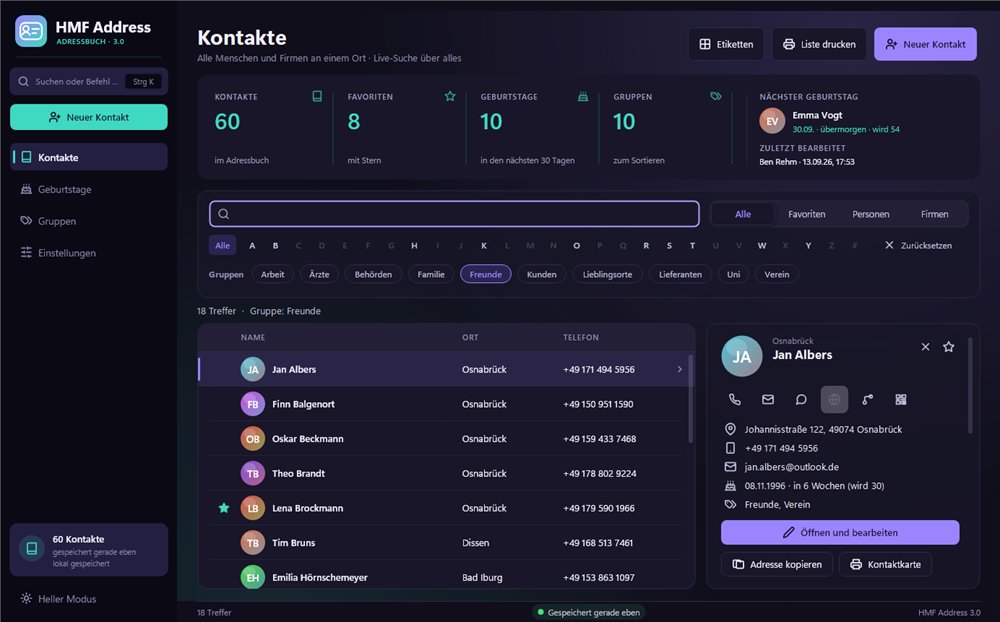
Five colour themes. Light or dark.

Pick the one you like. “Windows” stays completely neutral and uses your Windows accent colour.

HMF Address in the Aurora colour theme, light
Aurora, light

Made for everyone

Simple for beginners. Fast for experts.

Clear and calm

Large areas, clear words and nothing to distract you. If you’re unsure, you can undo everything.

Even faster with the keyboard

Ctrl+K opens the command search: type a contact, page or action and press Enter.

Also for on the go

A portable copy runs straight from the USB stick. Nothing is left behind on other people’s PCs.

Prices

Pay once. Use for ever.

No subscription, no hidden costs. All updates for version 3 included.

Personal

Just for you

19.90 €

one-off, incl. VAT

  • On up to 2 PCs
  • All features
  • Updates for version 3
  • Licence immediately by email
Buy now

Office & Club

For companies, practices and clubs

59.90 €

one-off, incl. VAT

  • On up to 10 PCs
  • All features
  • Updates for version 3
  • Commercial use too
Buy now

Pay securely with PayPal, usually also by direct debit or card. · Try it for free first

Frequently asked questions

Good to know.

Do I need an account or the internet?

No. HMF Address runs entirely on your PC. You only need the internet to download and to buy it. There is no user account, no advertising and no tracking.

Where are my contacts stored?

In a single file in your user folder. HMF Address saves every change immediately and makes a backup every day. You can export everything at any time as CSV, vCard or a web page.

Can I bring my existing contacts?

Yes. Contacts from HMF Address 1.x are imported automatically the first time you start it. From Outlook, Google Contacts, Excel or your mobile, you save the contacts as a file (CSV or vCard) and import them. HMF Address recognises where the file comes from and assigns the fields correctly. Duplicate entries are recognised.

Is it a subscription?

No. You pay once and use HMF Address for as long as you like. All updates for version 3 are included.

How many PCs can I use it on?

With “Personal” on 2 PCs, with “Family” on up to 5 PCs in your household, with “Office & Club” on up to 10 PCs, including commercial use. A copy on a USB stick counts as one PC.

Can I try HMF Address first?

Yes. After downloading, HMF Address runs for 30 days as a trial version with up to 25 contacts; printouts then carry the note “Demo version”. A licence key turns it into the full version, with no reinstalling and without losing any contacts.

Can I use my contacts on several PCs?

Yes. If you like, HMF Address keeps your contacts in your Dropbox, OneDrive, Google Drive or kDrive folder. The cloud app on your PC syncs them, and you are signed in there with your own account. HMF Address loads changes from the other PC automatically.

Is HMF Address available for Mac or mobile?

The program is available for Windows 10 and 11. You can send individual contacts to your phone with the QR code, or all of them at once as a vCard.

Why does Windows show a warning when installing?

Windows is cautious with new programs until they have been downloaded often enough. Click “More info” and then “Run anyway”. But only download HMF Address here. Tip: browsers usually download the version without installation (ZIP) without any warning.

Another question? Read the guide or write to us.

Just give it a try.

Download, load sample contacts, look around. It takes less than two minutes.